Server restart, locked vault, forgotten password
At the end of this path your strategies trade again: after a server restart, after the vault was locked, and even if you forgot the vault password. What the vault is — in Connections and the vault; an unfamiliar word — in the glossary.
What you need
- The vault password. If you forgot it — the section I forgot the password.
- If the password is forgotten: new keys (tokens) of all your exchanges, or the old ones if you kept them. How to create a key — Keys on the exchange side.
- 5 minutes (15–30 with the keys entered again).
What happens on a restart
There are two kinds of restart.
Only the program restarts — for a new version, a rollback to the previous version, or after a fault of the program. If your vault was open, there is nothing to do:
- in a minute or two the vault opens by itself, without the password;
- the strategies you had started and that were working or paused go on by themselves: a working strategy works, a paused one stays paused;
- stopped strategies stay stopped, strategies in emergency stay in emergency;
- nothing comes to you in Telegram: there is nothing to do ("✅ Service started, the strategies work", with the number of strategies that went on, goes to the system administrator alone — owner's decision 19.11).
This is possible because, for the time of the program's restart, a sealed copy of your keys stays in the server's memory, and the key to it is held by a small service of its own — the "keeper". Neither is written to the disk. If you locked the vault yourself, or it locked 15 minutes after all the strategies stopped, the copy and its key are destroyed at once — after a restart the password is needed.
The whole server reboots (or the keeper was restarted, or the database was restored from a copy, or the version was rolled back to one older than 2.1.62). Then:
- Every user's vault is locked. The exchange keys leave the server's memory, and the vault will not open by itself: after a reboot of the server nothing but your password opens the keys.
- The strategies' orders stay on the exchange and may fill while the server is down. The strategy loses nothing: once started, it reads all the trades of the downtime from the exchange.
- The strategies do not trade until you open the vault and press "Start". They do not start by themselves.
- Stopped strategies stay stopped.
It looks the same if you locked the vault yourself ("Lock" in the header): once it is opened, the strategies wait for a start.
Which of the two cases is yours — Telegram tells: nothing came — nothing to do; "🔴 Service started" — the steps below.
Steps
Back to trading after a restart
Telegram gets "🔴 Service started": "The key vault is locked, the strategies do not trade. Orders on the exchange are untouched." The last line is "What to do: open the key vault in the app and start the strategies."
Open the app. In a browser, sign in again; in Telegram the sign-in repeats by itself. While the service is being updated, there is a "Maintenance" screen instead: wait a minute or two, the page comes back by itself.
The header shows a yellow "Vault locked" with "Open". Strategies that were working are marked "waits for the vault". Press "Open".
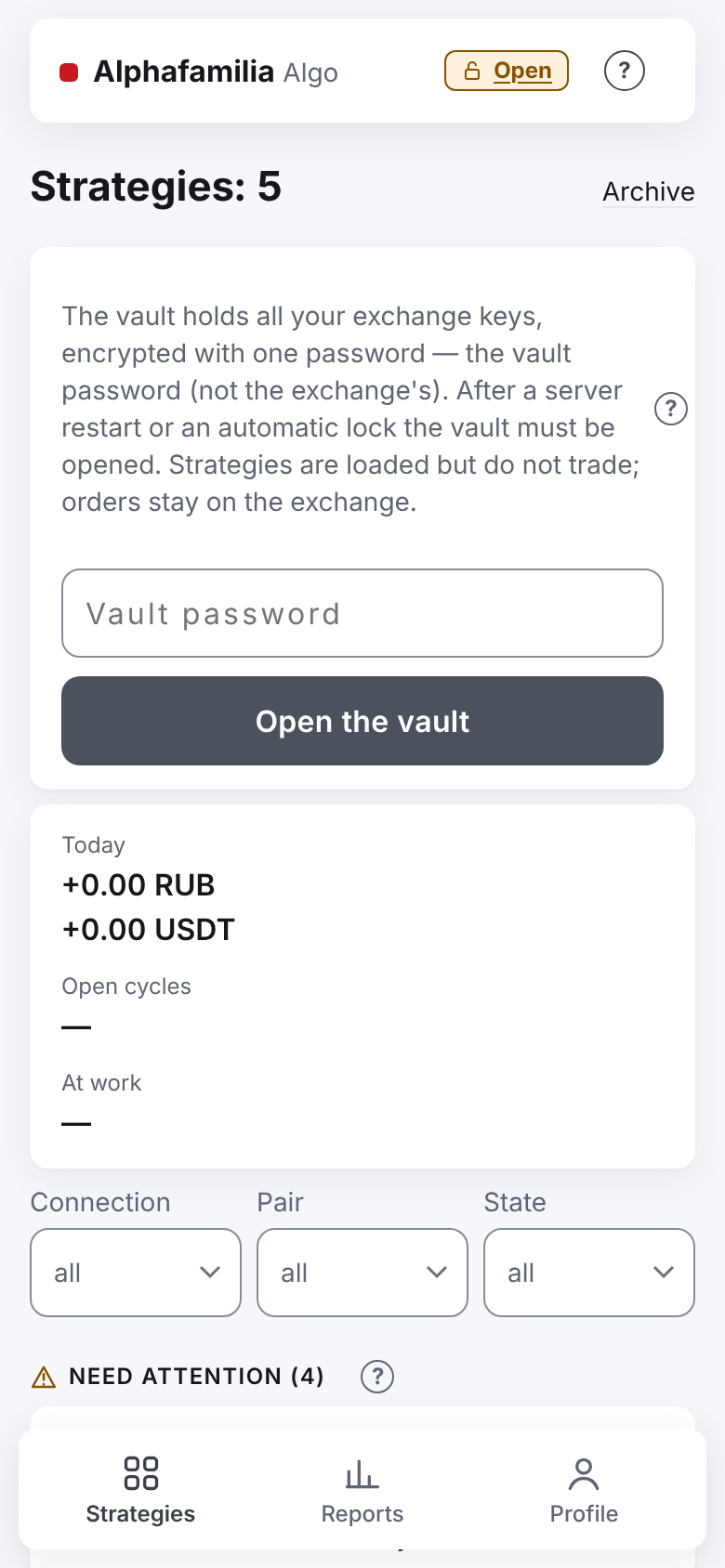
On the "Strategies" tab enter the password in "Vault password" and press "Open the vault".
The strategies' mark changes to "waits for start". Such strategies are at the top of the list, under "Need attention"; they have no separate badge with a reason — only this mark on the right.
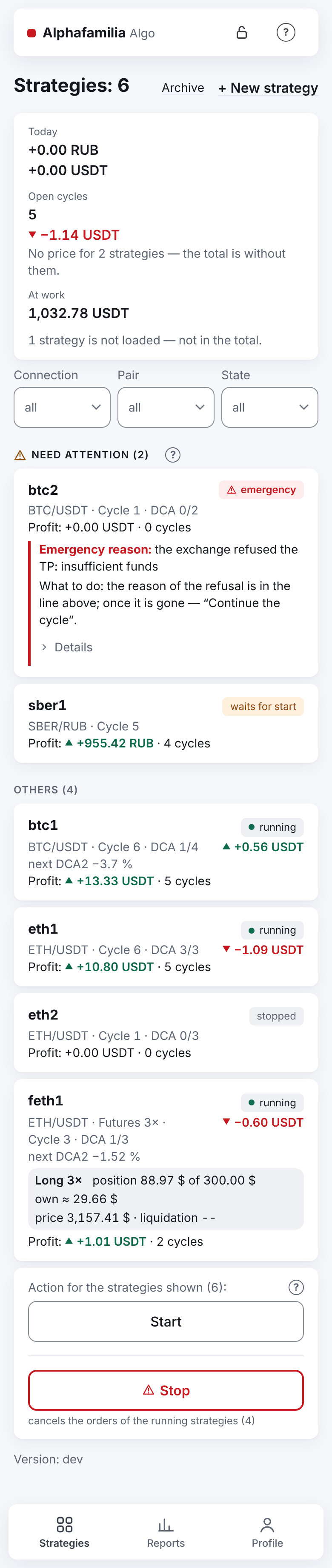
Open the strategy. The screen says: "The strategy was loaded again (after a server restart or opening the vault) and does nothing until started (before that: …). Its orders stayed on the exchange." Press "Start" and confirm.
If before the restart the strategy was in an emergency or stopped mid-cycle, there are "Continue the cycle" and "Start a new cycle" instead of "Start":
- "Continue the cycle" — the strategy finishes the cycle by the same grid;
- "Start a new cycle" — the old cycle closes as "interrupted", its remainder is yours, the strategy does not sell it.
Sort out a strategy in an emergency first — Something went wrong.
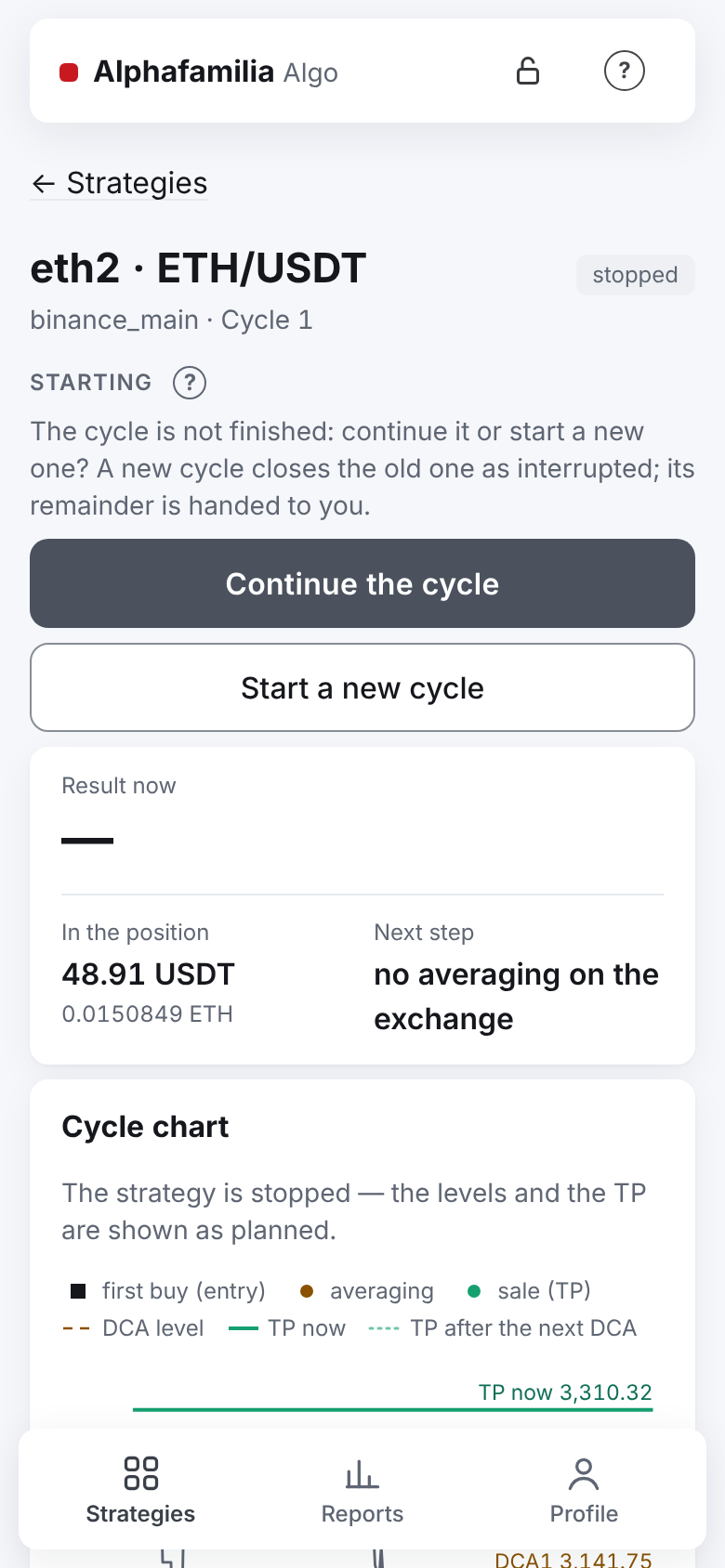
Repeat for each strategy.
All at once. Under the list there is "Action for the strategies shown (N):" and "Start". It starts every strategy shown that is not running, including those you stopped; running ones are left alone, and strategies in an emergency are passed by — they stay in the emergency and are started one by one. If you stopped some strategies on purpose, filter the list first ("State") or start the strategies one by one. Start the strategies of one coin on one account together — with the group button.
The vault is locked, but the server did not restart
- You locked the vault yourself ("Lock" in the header or in "Vault settings"). Open it and start the strategies — steps 3–8 above.
- Automatic lock. The vault locks by itself 15 minutes after you have neither working strategies nor strategy orders on the exchange. It does not hinder trading: open the vault when you need it.
I forgot the password
The vault password is not stored anywhere and cannot be recovered — neither by the system administrator nor by the developer. It can only be reset: the old vault is put aside (it cannot be opened without the old password), you set a new password and enter the keys again.
What stays: the strategies, their settings, the cycle history, the accounting, the connections (without keys).
What goes: every key in the vault. Running strategies become "stopped", their orders stay on the exchange.
Open "Profile" → "Settings" → "Vault settings" — the "Key vault" screen. The reset works with the vault locked and with strategies running.
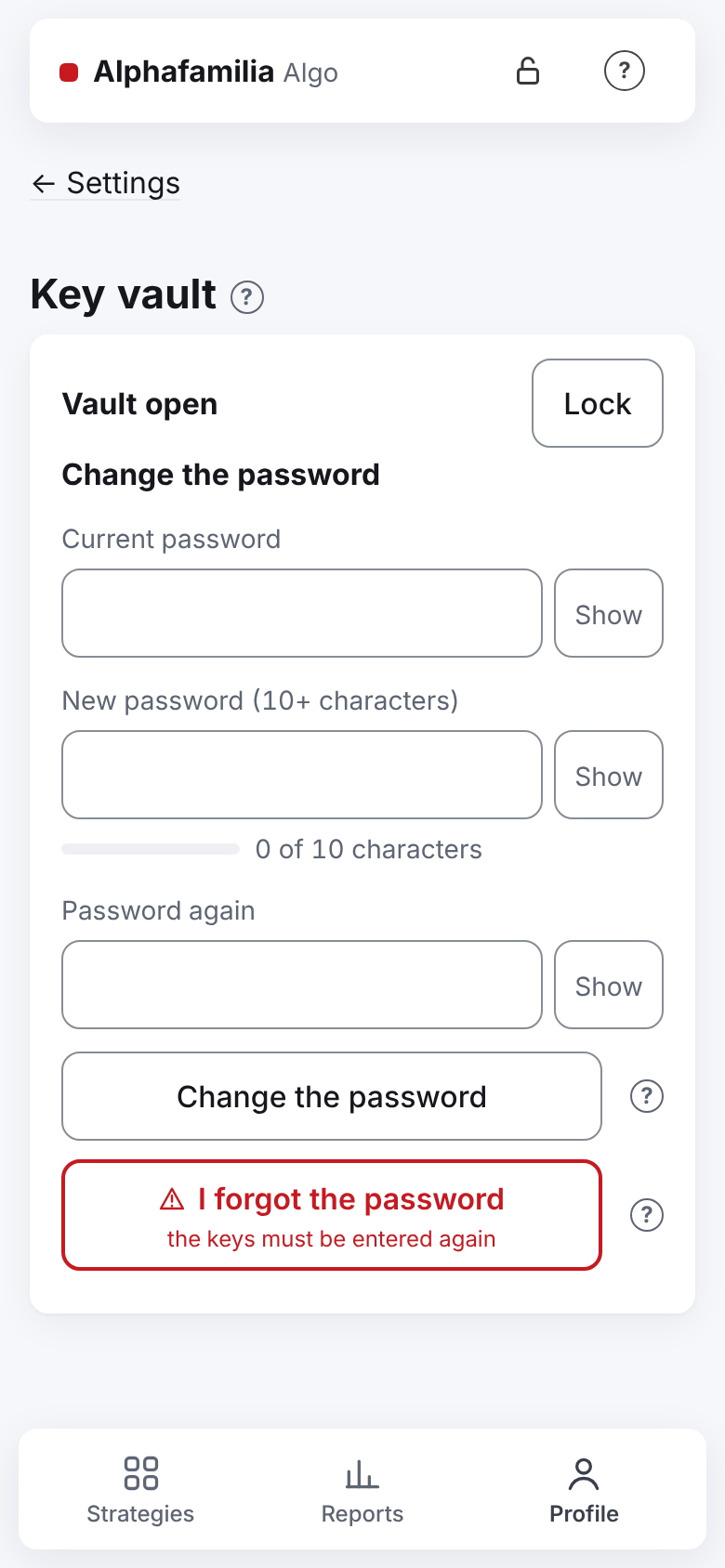
Press "I forgot the password" (the note under the button: "the keys must be entered again").
Read the window "Reset the vault password?" and press the red "Reset the password".
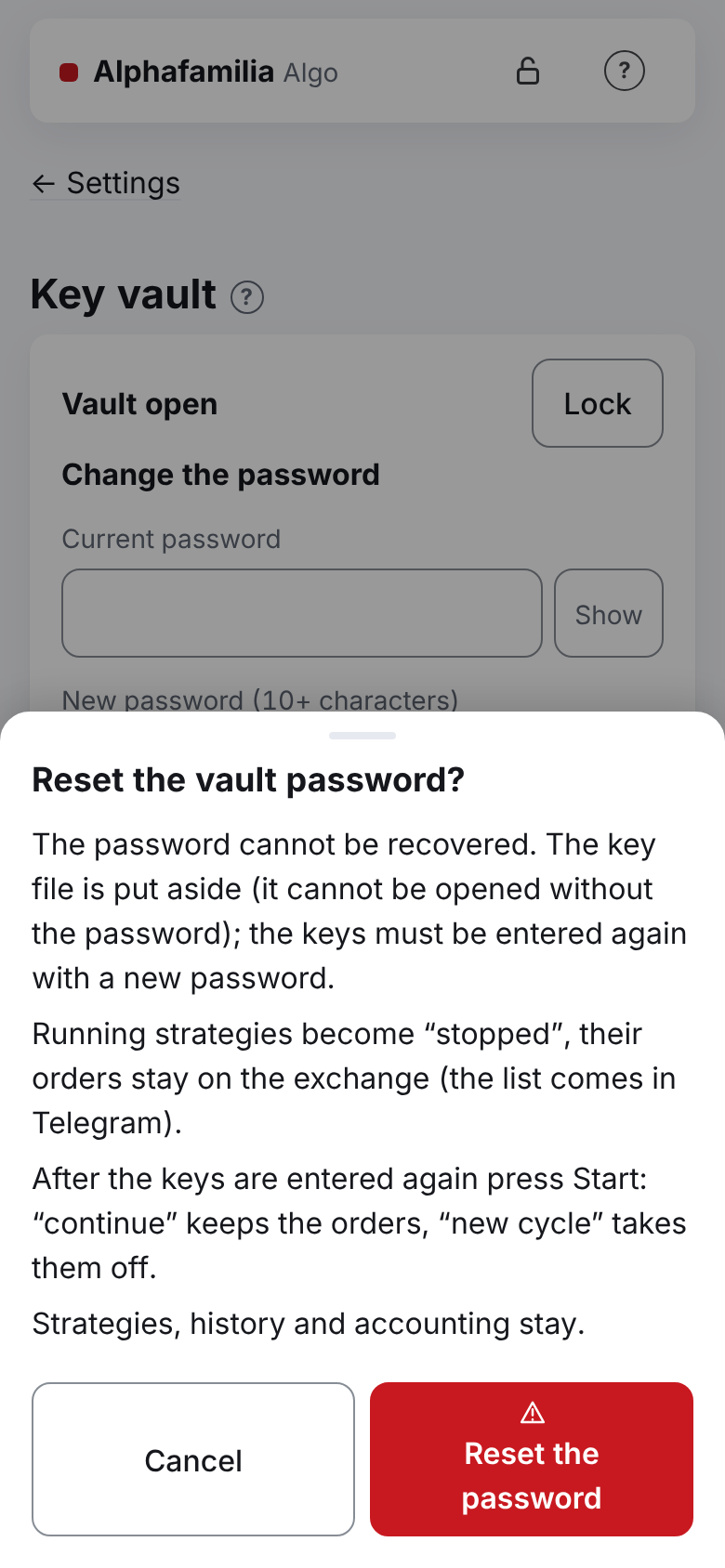
The answer: "Done: set a new vault password, then press “Replace key” on the connections." Telegram gets "🔴 Keys reset" with the list of orders left on the exchange.
The same page says: "The keys were reset, the connections remain. Set a new vault password, then press “Replace key” on each connection." Enter a new password (10 characters or more) in "New password" and "Password again", press "Set the vault password".
The answer: "The vault is made and open. Now press “Replace key” on each connection." Press "To the connections →".
On each connection press "Replace key", enter the key (the same or a new one — but of the same account) and the new password in "Vault password — to save the key into the vault". Press "Replace key" and wait for "Key replaced.". In detail — Replace the key.
Open each strategy and start it. For a strategy with an unfinished cycle:
- "Continue the cycle" — the cycle goes on with the same orders on the exchange;
- "Start a new cycle" — the old cycle closes as interrupted, its orders are taken off.
While there are no keys, the stopped strategies neither take off nor place anything. If an order on the exchange fills before you bring the key back, the strategy counts the trade once the key is back.
You remember the password but want another one — that is not a reset: "Change the password" on the same page (all strategies stopped) — Change the password.
Reminders in Telegram
| Message | When | What to do |
|---|---|---|
| (nothing came) | The program restarted (an update, a rollback, a fault) and your vault was open: it opened by itself, the strategies go on. "✅ Service started, the strategies work" goes to the system administrator alone | Nothing |
| 🔴 Service started | The server rebooted, or your vault was locked; the message gives the version | Open the vault and start the strategies |
| 🔴 The strategies wait for you | Every hour while strategies that were working wait for the vault or a start: "Strategies waiting: N, for H h — they do not trade." | The same |
| The morning summary | The line "Waiting for the vault or a start: N" and at the end "What to do: open the vault and start the strategies…" | The same |
| 🔴 Keys reset | You pressed "I forgot the password": the list of orders left on the exchange; the "Open the app" button | Set a new password, replace the keys, start the strategies |
All the messages — Telegram messages and A message came in Telegram.
How to know it worked
- The header shows a lock's sign: the vault is open.
- The strategies are "running"; none is "waits for the vault" or "waits for start".
- The "🔴 The strategies wait for you" reminders stop.
- After "I forgot the password": right after "Key replaced." the connection's card shows the key's state line again — the new key's check, for example "Key: trading ✓ · withdrawals off ✓ · spot ✓ · IP restricted ✓ · checked 03.11 14:05" (the time of the replacement), and the key's term if the exchange told it. Before the replacement it says "The key's state appears after it is checked — when the key is replaced.".
What you risk
- While the strategies wait, their orders stand on the exchange unattended. They may fill: the strategy counts the trades after the start, but places no new orders (averaging, TP) until then. On futures the position stays open all that time. Do not put off opening the vault.
- The group "Start" also starts the strategies you stopped on purpose; it passes strategies in an emergency by.
- "I forgot the password" cannot be undone. The old vault cannot be opened, even if the password comes back to you. If you do not have the exchange keys — create new ones on the exchange.
- "Start a new cycle" after a reset takes off the old cycle's orders; what was bought stays yours and is not sold.
If something goes wrong
| What you see | What to do |
|---|---|
| "Wrong vault password. It is the password you set in “Vault settings” — not the exchange's and not Telegram's. …" | The vault's password is needed, not the exchange's. Check the keyboard layout and Caps Lock, enter it again. Forgot it — “I forgot the password” (the keys will have to be entered again) |
| "Three wrong passwords in a row — wait … s." | Wait about a minute and enter it again. Do not remember it — I forgot the password |
| The "Maintenance" screen | The service is being updated — the page comes back by itself in a minute or two |
| "Maintenance — the command may not have arrived. When the screen is back, press “Check the outcome”…" | Wait for the maintenance screen to go and press "Check the outcome" on the card — the same command, the same id, it will not run twice |
| "This key belongs to another account — only a key of the same account may replace it." | Enter a key of the same exchange account the connection had. For another account — a new connection (A second exchange, a new key) |
| After the reset there is no "Replace key", only "Set the vault password →" | Set the new vault password first (step 5) |
| The strategy goes into an emergency right after "Start" | Something changed on the exchange while the server was down — Something went wrong |
| "🔴 Служба Alphafamilia Algo упала и остановлена" (the server's own messages come in Russian) | The server will not restart the service by itself — tell the system administrator. The orders on the exchange stayed |
In detail — Server restart and update and Something went wrong.
Next
- Security — how the vault works, who sees what.
- A second exchange, a new key — replacing a key and new connections.
- I want to manage my strategies — start, stop, group commands.